


ELM327 WiFi OBD2 OBDII Diagnostic Scanner Code Reader Tool
ELM327 WiFi OBD2 OBDII Diagnostic Scanner Code Reader Tool
Couldn't load pickup availability
-
Ordered
- - -
Order Ready
- - -
Delivered
 Power Sourceobd plug-in
 Screen Size 20 Centimeters


ELM327 WiFi OBD2 OBDII Diagnostic Scanner Code Reader Tool
Description
Description
Easily diagnose your car’s engine issues with the ELM327 WiFi OBD2 scanner. Compatible with both iOS and Android devices, it connects wirelessly to display real-time vehicle data. Supports all OBD2-compliant vehicles and reads trouble codes to help you pinpoint problems. Version 1.5 offers stable performance and broad compatibility. Clear the check engine light and monitor sensors through your preferred app. Compact and easy to use—just plug it into your car’s OBD port. A handy tool for DIY diagnostics and everyday car maintenance.


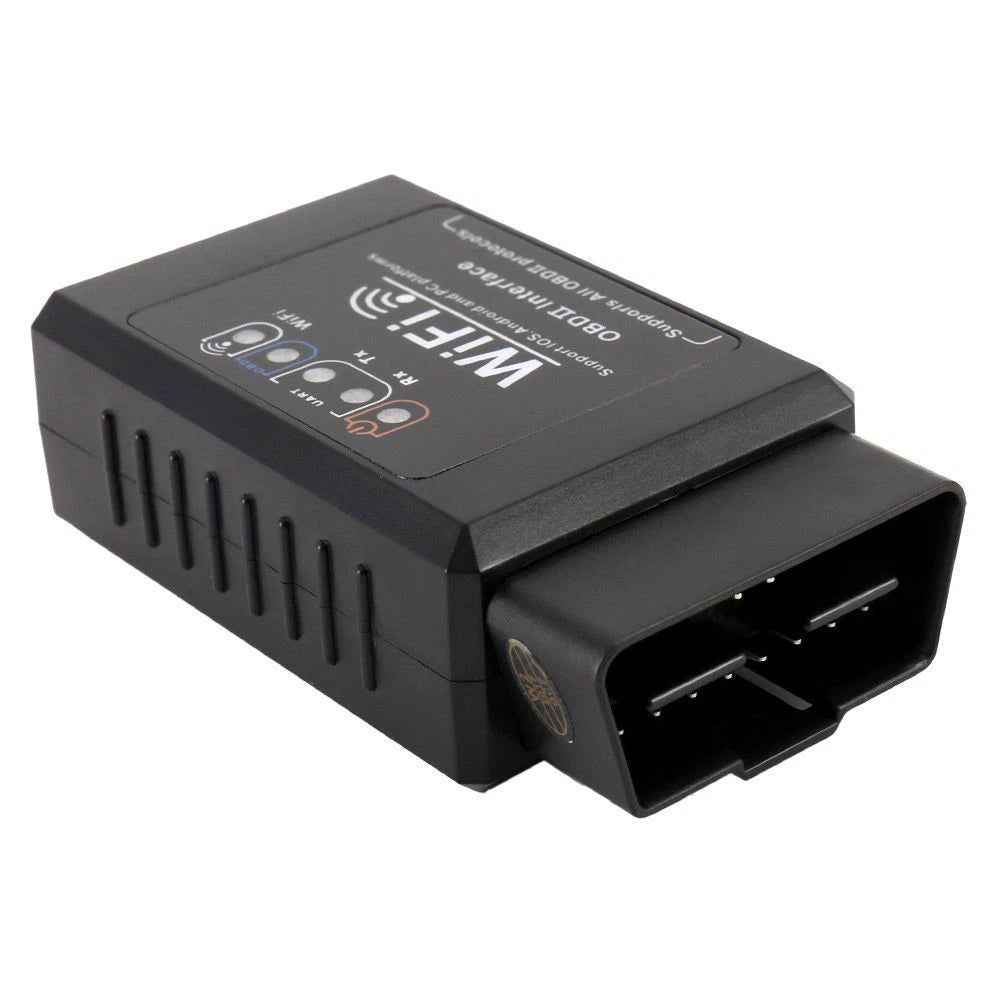

Obd2 Diagnostic Machine
You can stick the OBD2 adapter into your car, get all the status of your car and send data to iOS and Android devices via Bluetooth

It supports reading various conditions of vehicles
(up to 100 conditions such as engine speed, water temperature, speed, etc.), and is used in combination with head-up displays, car networking related systems, and smart garages. System

It supports reading parameters such as VIN
(also known as vehicle identification number or frame number), CID, CVN and is widely used in various fields such as auto repair and auto parts. Supports long-term use as a vehicle condition monitoring device
About this item
-

Compatible Systems and Apps
For iPhone & iPad: YMOBD, ELM327 (free) / Car Scanner, inCarDoc, OBD Fusion (charge) for android devices: YMOBD, ELM327, Torque Lite (free) / Torque Pro (charge) / DashCommand, OBD Car Doctor, Mini OBD, OBD, etc. For Windows that apply. Connect ScanMaster-ELM v2.1
-

Supported protocols
ISO 9141-2 (5 baud init, 10.4 kbaud); ISO 14230-4 KWP (5 baud init, 10.4 kbaud); ISO 14230-4 KWP (fast init, 10.4 kbaud); ISO CAN 5765-4 (11 bit ID, 500 kbaud); ISO 15765-4 CAN (29 bit ID, 500 kbaud); ISO 15765-4 CAN (11 bit ID, 250 kbaud); ISO 15765-4 CAN (29 bit ID, 250 kbaud ;


Features:

There are three points of attention to the connection procedure for a Wifi OBD diagnostic and torque software.
1.Insert OBD diagnostic device and search WIFI_OBDII in the Wi-Fi interface in the mobile phone settings menu.
2. Select Wi-Fi connection options in torque settings (3 options total, Bluetooth, Wi-Fi, and wired)
3. After Torque has set the above options, it will go back to the main interface, and after you close the app and restart, it will be able to connect.It will be ready for future use.Just open directly, no above operation is required.Settings
Car Scanner Use Instructions

Step #1: Open your PhoneTableWiFisettingsNOTCarScanners Settings
Turn on Wi-Fi
Find the Wi-Fi network created by the ELM 327 OBDIl adapter and connect to the network.
Commonly called "OBDII", "OBD 2", "WIFIOBDII" etc.
Similar to the brand of adapter and name
VGate adapters usually have "VLINKnetwork name" (VLINK network name).
Adapter is a non-essential password for WiFine network

Step #2. Set up CarScanner
Open the CarScanner and proceed to setup the icon in the upper right corner.)
Tapon "Adapter (Old Version)

Connection Type: Choose WiFi
In most cases, please make sure the adapter IP address and port are correct
The P address is 192.168.010, and the port is 35000, but some adapters have
Various Setina Therefore, you will need to check the manual that comes with the adapter
Period! All you have to do is click the big green "Connect" button.